服务器部署springboot项目流程
前置条件:一个springboot项目,安装了docker的服务器
打包项目
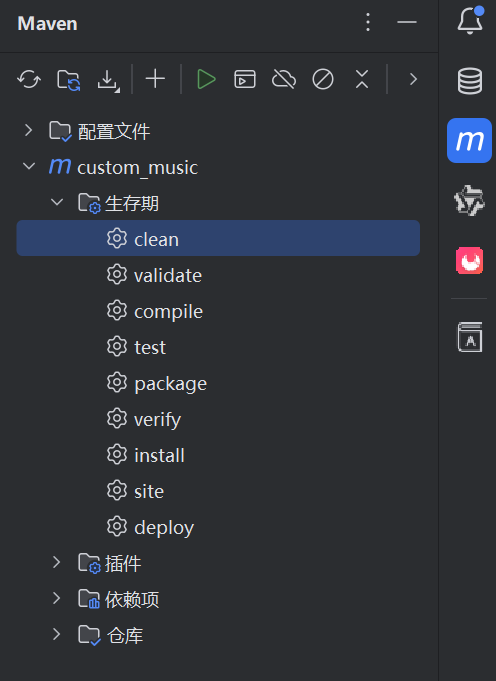
maven clean项目
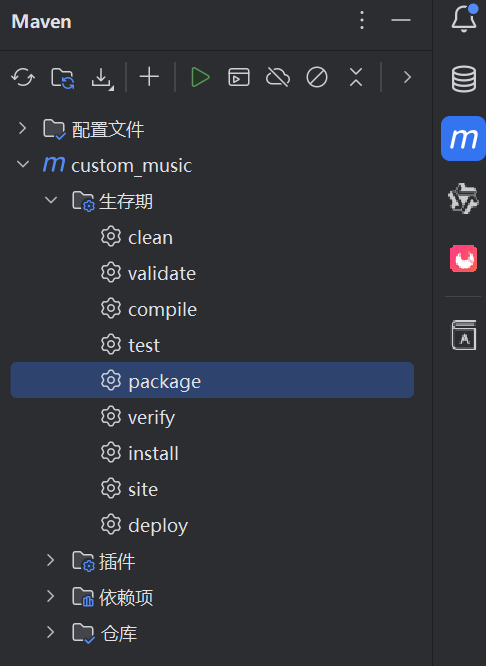
maven package项目
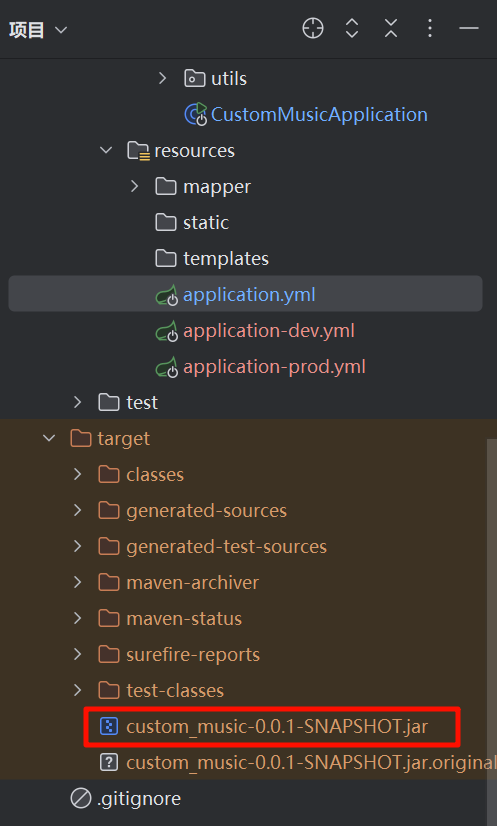
打包成功之后生成jar文件(在target目录下)
上传项目到服务器
创建一个目录存放你的项目jar包
cd ~
mkdir custom_music
cd custom_music
将红框内的jar包上传到此目录
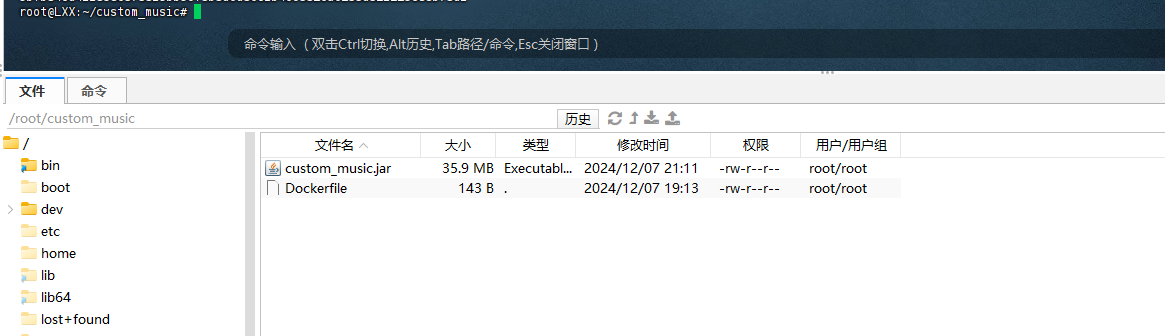
重命名jar包
mv custom_music-0.0.1-SNAPSHOT.jar custom_music.jar #重命名jar包
编写Dockerfile文件
创建Dockerfile
vim Dockerfile

填入以下内容
# 使用 OpenJDK 17 作为基础镜像
FROM openjdk:17

# 定义工作目录
WORKDIR /app

# 复制应用程序的 JAR 文件到容器内
COPY ./custom_music.jar /app/custom_music.jar

# 声明容器内部的挂载点 (可以映射到主机)
VOLUME /home/custom_music

# 暴露应用程序运行的端口
EXPOSE 8080

# 设置默认的 JAR 文件名
ENV JAR_FILE=custom_music.jar

# 默认激活 prod 配置文件
# 设置 Spring Profiles 激活环境 (可以通过环境变量动态修改)
ENV SPRING_PROFILES_ACTIVE=prod


# 启动 Spring Boot 应用,并传入激活的配置文件环境变量
ENTRYPOINT ["sh", "-c", "java -Dspring.profiles.active=${SPRING_PROFILES_ACTIVE} -jar /app/${JAR_FILE}"]
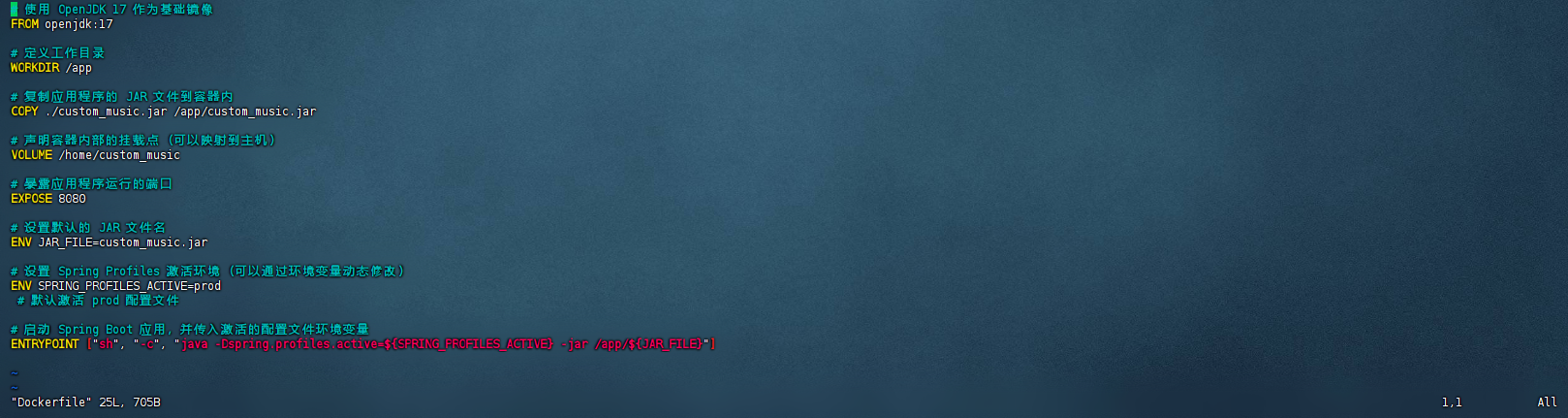
启动项目
保存好之后开始构建镜像
docker build -t <这里填的内容会作为镜像名> .
docker build -t custom_music .
运行容器
docker run -d -p 8888:8888 --name <容器名称> <镜像名称>
例如  docker run -d -p 8080:8080 --name custom_music custom_music
或者 docker run -d -e SPRING_PROFILES_ACTIVE=prod -p 8080:8080 custom_music_image
复制链接
https://blog.lxx.ip-ddns.com/index.php/archives/157/
Warning: Undefined array key "HTTP_ACCEPT_LANGUAGE" in /usr/home/LXX123/domains/www.lxxblog.cfd/public_html/usr/themes/Farallon/comments.php on line 4
Deprecated: stripos(): Passing null to parameter #1 ($haystack) of type string is deprecated in /usr/home/LXX123/domains/www.lxxblog.cfd/public_html/usr/themes/Farallon/comments.php on line 4